CM Punjab Asaan Karobar Card 2026 Eligibility, Apply Online & Loan Details

CM Punjab Asaan Karobar Card 2026
Starting or growing a small business in Punjab usually means one obstacle above all others: money. Bank loans come with high markup, mountains of paperwork, and often a collateral requirement most small shopkeepers simply can’t meet. The Punjab Government’s Asaan Karobar Card is built to remove that barrier — an interest-free, fully digital SME credit facility aimed at genuine small entrepreneurs.
This guide covers what the card actually offers, who qualifies, the documents you’ll need, and the exact steps to apply online.
What Is the CM Punjab Asaan Karobar Card?
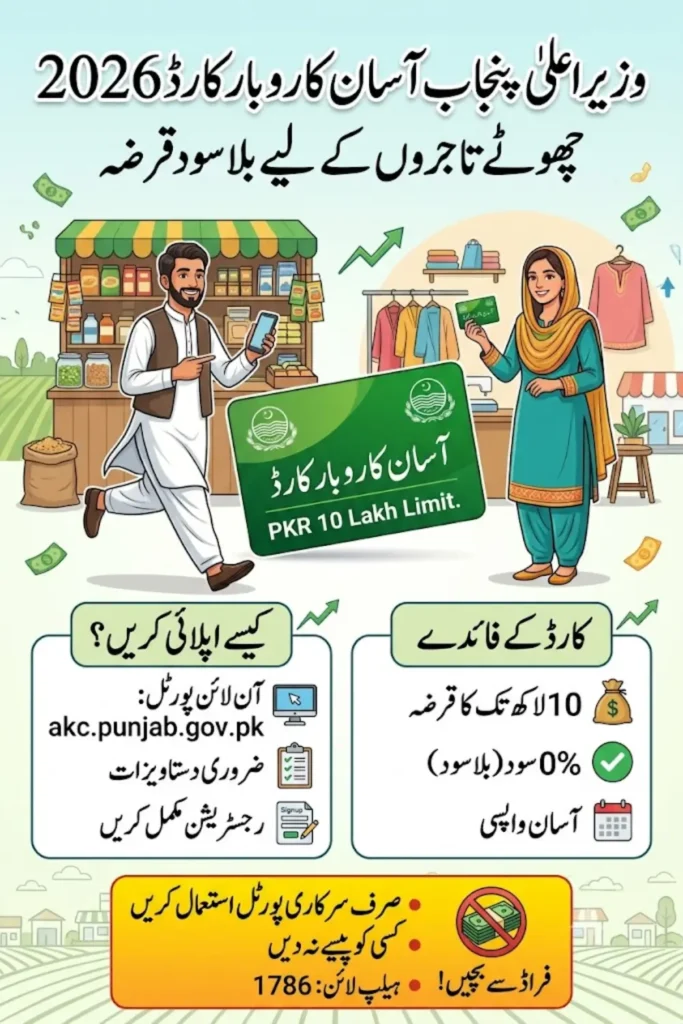
The Asaan Karobar Card is a digital SME financing scheme run jointly by the Punjab Information Technology Board (PITB) and the Bank of Punjab (BOP). It gives small entrepreneurs access to an interest-free revolving credit limit of up to PKR 1 million, usable through a mobile app, POS machines, and registered vendors — not handed over as plain cash.
A few things make it different from a typical bank loan:
- Zero markup — you repay only what you borrow, no interest
- Revolving credit, not a one-time lump sum — funds can be reused as you repay
- Mostly cashless — spending is tracked through digital channels to keep the loan tied to actual business use
- No heavy collateral — a personal guarantee is generally sufficient
Do note this is separate from the larger Asaan Karobar Finance scheme, which offers bigger loans (up to several million rupees) for established, tax-registered businesses. The Card is aimed squarely at small and home-based entrepreneurs.
Also Read: Affordable Housing Finance Scheme 2026 – 5% Markup, Rs. 10 Million Loan Guide
Who Can Apply?
You’re eligible for the Asaan Karobar Card if you meet these conditions:
- Aged between 21 and 57 years
- A Pakistani national and Punjab resident, verified through a valid CNIC
- Have a mobile number registered in your own name — not a relative’s or friend’s
- Own an existing small business in Punjab, or have a genuine plan to start one
- Have a clean credit history — no defaults or active loans from other banks
- Able to pass the required credit and psychometric checks
- Apply only once per person or business
This makes the scheme a good fit for small retail shops, traders, home-based businesses, freelancers, and service providers — essentially anyone running or planning a small, legitimate business in the province.
Also Read: PM Apna Ghar Programme 2026 – Rs. 3.2 Trillion, 5 Lakh Ghar Plan
Loan Amount, Structure, and Repayment
Here’s how the financing actually works:
- Credit limit: Up to PKR 1 million
- Interest rate: 0% — fully interest-free
- Tenure: 3 years
- Grace period: 3 months from card issuance before repayment starts
- First release: 50% of your approved limit is available within the first 6 months
- Second release: The remaining 50% is unlocked after you show consistent repayment and complete registration with PRA/FBR (required within 6 months of card issuance)
- Repayment: Once the grace period ends, a minimum monthly payment — roughly 5% of the outstanding principal — is required; the balance is cleared over the following months
- Cash withdrawal limit: Only about 25% of your approved credit can be withdrawn as cash; the rest must move through digital transactions
Because the structure is designed to prevent misuse, funds are restricted to genuine business spending — supplier payments, raw materials, utility bills, government taxes, and digital transactions through POS or the mobile app. Personal expenses, shopping, or entertainment purchases are automatically blocked.
Also Read: Interest-Free vs Markup Housing Schemes in Pakistan 2026: Which One Is Right for You?
Documents You’ll Need
Before starting your application, keep these ready:
- Valid CNIC
- Mobile number registered under your own CNIC
- Business details — existing setup or a clear plan if you’re starting fresh
- A personal guarantee form
- Proof of business, where applicable
- A recent photograph
- Your bank account details
Having clear, complete scans ready before you begin will save you a second trip back to the portal.
How to Apply Online — Step by Step
- Visit the official portal — akc.punjab.gov.pk (also accessible via punjab.gov.pk/asaan-karobar-card)
- Read the instructions carefully and acknowledge them before proceeding
- Register an account using your CNIC, mobile number, email, and a password
- Log in with your CNIC and password
- Fill in each section — personal details, business details, and loan details — saving as you go
- Upload your documents clearly and in the requested format (PDF or JPG)
- Pay the processing fee — PKR 500, non-refundable
- Submit your application
After submission, don’t close the browser tab in a hurry — double-check every section before hitting submit, since incomplete or unclear uploads are one of the most common reasons applications get delayed.
Also Read: Fake Housing Societies in Pakistan: How the New SECP Registration Rules Aim to Protect You in 2026
What Happens After You Apply?
Once submitted, your application goes through several verification stages:
- CNIC verification through NADRA
- Credit history check
- Psychometric evaluation
- Physical verification of your business premises, carried out by the Urban Unit within 6 months of approval, and reviewed annually after that
If everything checks out, you’ll be approved and issued your Asaan Karobar Card, ready to use through the mobile app or POS network.
Tracking Your Application
To check where your application stands:
- Go back to the Asaan Karobar Card portal and log in
- Open your submitted application
- Check the status shown at the top of the page
You’ll typically see one of these:
- Under Process
- Verified
- Rejected
- Verification Error
If your status shows an error or rejection without explanation, contact the helpline rather than resubmitting blindly — a small document issue is often the cause and can usually be fixed without starting over.
What the Loan Can and Can’t Be Used For
Allowed:
- Trading and retail businesses
- Service-based businesses
- Home-based businesses
- Small manufacturing units
- Online and freelance businesses
- Supplier and vendor payments, raw materials, utility bills, and government taxes
Not allowed:
- Personal or household expenses
- Luxury shopping
- Entertainment or any non-business spending
The system is built to catch and block non-business transactions automatically, so it’s worth planning your spending around approved categories from the start.
Getting Help
If you run into problems during registration or verification:
- Asaan Karobar Card helpline: 1786
- Bank of Punjab support: 111-267-200
A common issue applicants report is not receiving the OTP during registration this is almost always because the SIM being used isn’t registered under the applicant’s own CNIC. Confirm that first before contacting support.
Also Read: Apni Chhat Apna Ghar Scheme 2026 Rs. 10 Lakh Interest-Free Loan Guide
Frequently Asked Questions
1. Is the Asaan Karobar Card really interest-free?
Yes. You repay only the principal amount you borrow — there’s no markup or interest charge.
2. Can I withdraw the loan as cash?
Only partially — up to 25% of your approved limit. The remaining 75% must be spent digitally through POS or the mobile app on approved business expenses.
3. What’s the difference between the Asaan Karobar Card and Asaan Karobar Finance?
The Card is for small entrepreneurs and caps out at PKR 1 million with a fully digital, collateral-light process. Asaan Karobar Finance is a separate, larger scheme for established, tax-registered businesses needing significantly higher amounts.
4. How long does approval take?
Typically a few weeks, depending on how quickly your CNIC, credit, and business-premises verification are completed.
5. Can I apply if I already have a loan from another bank?
No. Applicants with an active loan or a default history with another bank are not eligible.
6. Is there really no collateral require?
For the Card specifically, a personal guarantee is usually sufficient — you generally won’t need to pledge property or other collateral.
7. What if my OTP never arrives during registration?
Check that your mobile number is registered under your own CNIC. This is the most common cause; if the issue persists, contact the helpline.
Also Read: Apni Chhat Apna Ghar Scheme 2026: Latest Progress & How to Check Your Application Status