BISP 8171 Payment Locations 2026 Find Your Nearest Withdrawal Point
BISP 8171 Payment Locations 2026
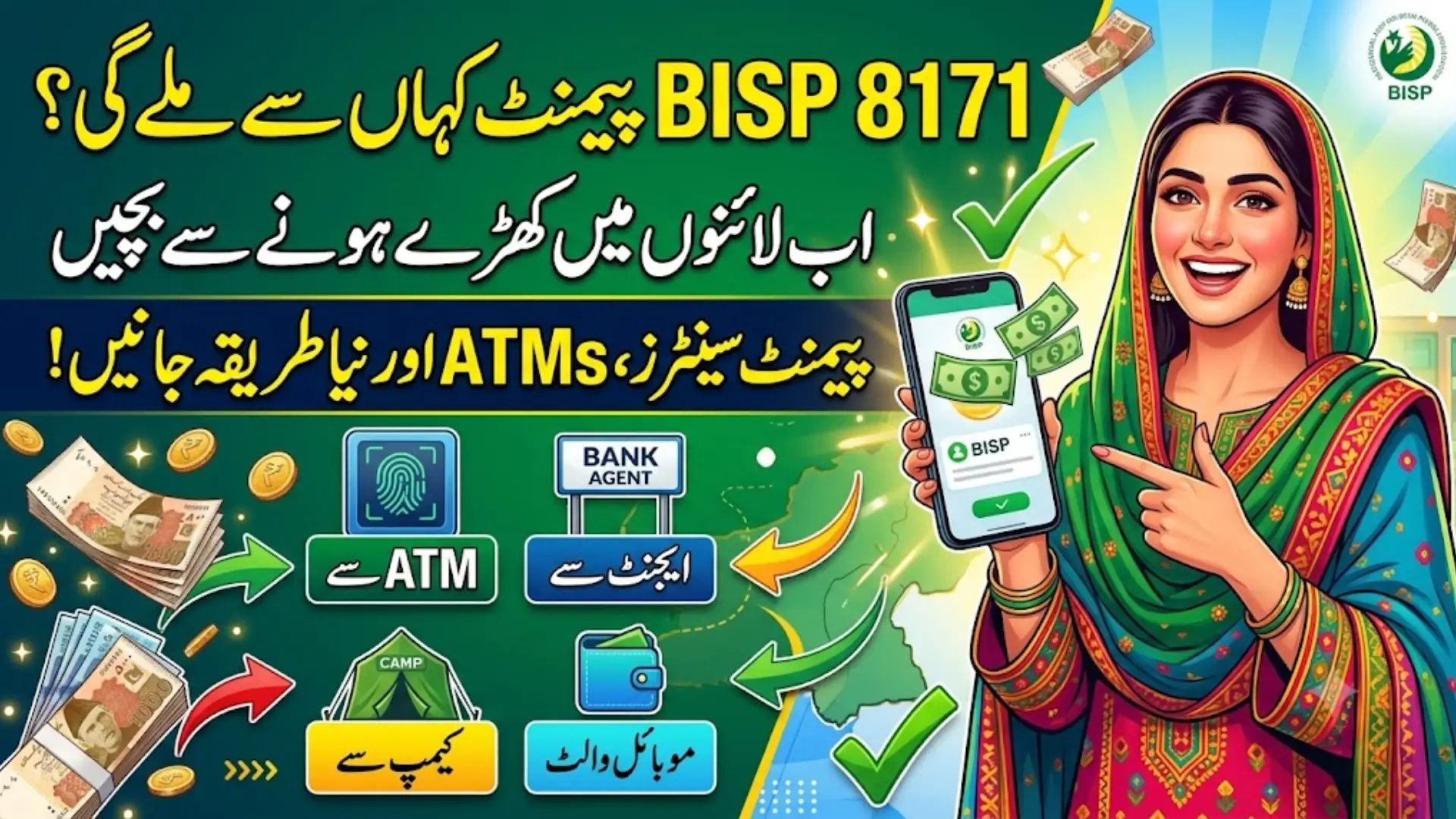
Knowing exactly where to collect your BISP installment can save you an entire day of travel. In 2026, the Benazir Income Support Programme has widened its withdrawal network well beyond the traditional campsite biometric ATMs, retail agents, and mobile wallets are now part of the mix in most districts.
This guide walks through the different withdrawal points available, how to confirm which one applies to you, and how to avoid the common headaches — queues, biometric failures, and fraud that beneficiaries run into at payment time.
Note: Exact payment amounts, active districts, and rollout phases change frequently through 2026. Always confirm your specific status and assigned location via 8171.bisp.gov.pk, SMS to 8171, or the helpline 0800-26477 before traveling anywhere.
The Main Ways to Collect Your BISP Payment
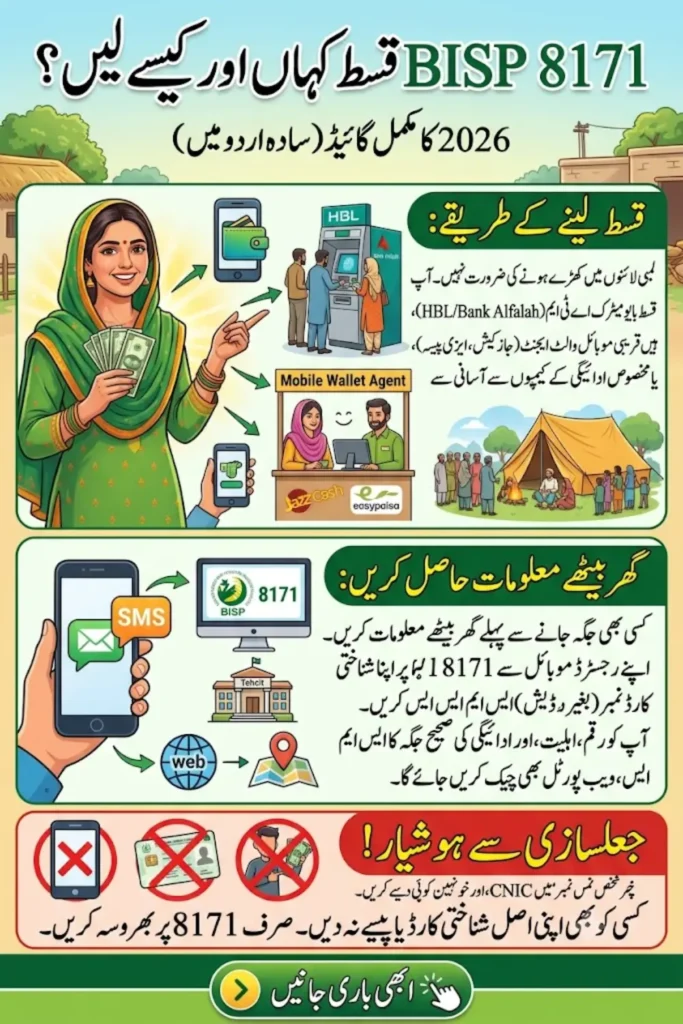
BISP no longer relies on one single method. Depending on your district and how far the digital rollout has reached there, you may be able to withdraw through:
- BISP campsites — temporary centers set up during major payment phases, common in areas where digital coverage is still limited
- HBL Konnect — biometric ATMs and retail agents, widely available across Punjab, Sindh, KP, and Islamabad
- Bank Alfalah — ATMs and partner branches, with strong coverage in Balochistan, Gilgit-Baltistan, AJK, and other harder-to-reach areas
- Mobile wallets — JazzCash, Easypaisa, and the BISP Social Protection Wallet, where the digital rollout has reached your district
- BISP Tehsil offices and Union Council centers — for in-person verification, complaints, or where no digital option is available yet
Not every option is active in every district. The safest approach is always to confirm your specific channel before heading out.
How to Check Your Assigned Payment Location
Option 1 — SMS to 8171 From your registered SIM, text your 13-digit CNIC (no dashes) to 8171. The reply usually tells you your eligibility status and, in many cases, points you to your assigned bank or center.
Option 2 — 8171 Web Portal Visit 8171.bisp.gov.pk, enter your CNIC and the captcha shown, and check your payment status. Some beneficiaries will also see guidance on their nearest active withdrawal channel here.
Option 3 — Visit your Tehsil BISP office If you don’t have internet access or your online status isn’t clear, your local Tehsil office can confirm which center or bank agent is currently active for your area.
Option 4 — Call the helpline 0800-26477 is free from any network and can confirm your district’s current payment phase.
Don’t rely on rumors or word of mouth about “which center is open this week” — district rollouts change often, and the official channels above are the only reliable source.
Also Read: BISP 8171 Payment Schedule 2026 HBL & Alfalah Withdrawal Start Date Announced
What Each Withdrawal Channel Offers
BISP Campsites Set up in most tehsils during active payment phases. Best suited for beneficiaries who don’t yet have digital wallet access, since verification is done fully in person with CNIC and fingerprint checks.
HBL Konnect One of the most widely available partners, with biometric verification, extended hours during payment phases, and token systems to manage crowding. Strong presence in Punjab, Sindh, KP, and Islamabad.
Bank Alfalah Particularly useful in remote regions — Balochistan, Gilgit-Baltistan, AJK, interior Sindh, and southern Punjab — where banking infrastructure is thinner. Offers biometric cash withdrawal, payment verification, and wallet-related services.
Mobile Wallets (JazzCash, Easypaisa, BISP Social Protection Wallet) Where active, this is the fastest option — no travel required, and funds can be checked or spent directly from your phone. Coverage is expanding but not yet nationwide, so confirm whether your district qualifies before assuming this applies to you.
Also Read: BISP Payment 2026 District-Wise Disbursement List & CNIC Status Check Now Live
Before You Go: A Quick Checklist
- Carry your original CNIC — photocopies are not accepted
- Make sure your SIM is active and registered under your own CNIC, so you can receive OTPs if needed
- Check your payment status on 8171 before traveling, so you don’t make a trip for nothing
- Try to avoid the 11 AM–2 PM window, when centers tend to be busiest
At the Payment Center
- Take a token if one is offered and wait your turn
- Present your CNIC and complete fingerprint verification
- Count your cash before leaving the counter or ATM
- Ask for a printed receipt if one is available
Common Problems and How to Fix Them
Biometric verification keeps failing Clean and dry your fingers first, and try a different finger. If it still fails, ask about manual verification, or visit a NADRA center to refresh your fingerprint record if it’s outdated.
Long queues Go early in the day, avoid weekends near payment release dates, and check whether a less crowded nearby agent is available before defaulting to the busiest campsite.
CNIC shows as unverified This usually means a NADRA record mismatch. Update your details at a NADRA center and recheck your status on 8171 afterward.
Not receiving OTPs Confirm your SIM is genuinely registered under your own CNIC, then restart your phone and try again.
Also Read: BISP 8171 Phase-2 2026 Rs 13,500 District-Wise Payment Release Now Started
Staying Safe While Withdrawing
- BISP registration and payment withdrawal are completely free — never pay an agent, “helper,” or anyone claiming to speed up the process
- Only trust messages sent from 8171 — ignore anything from a personal number claiming to be BISP
- Never hand over your original CNIC to anyone other than an authorized counter for the brief moment needed to scan it
- If someone at a center demands a “cut” of your payment, report it immediately to the BISP helpline
Frequently Asked Questions
1. How do I find out where to collect my BISP payment?
Send your CNIC to 8171 by SMS, or check the 8171.bisp.gov.pk portal. If you’re unsure, your local Tehsil BISP office can confirm the active center for your area.
2. Do I have to go to a campsite, or can I use an ATM?
It depends on your district. Many areas now offer biometric ATM withdrawal through HBL and Bank Alfalah, in addition to traditional campsites.
3. What should I bring to the payment center?
Your original CNIC (not a photocopy) and a phone with your registered SIM, in case an OTP is needed.
4. What if my fingerprint isn’t recognized?
Try cleaning your hands and using a different finger. If the problem continues, get your biometric data updated at a NADRA center.
5. Is there any fee to withdraw my BISP payment?
No. Withdrawal is completely free. Report anyone who asks for money.
6. My assigned center seems to have closed. What now?
Recheck your status on 8171, since centers and phases change over time, or visit your Tehsil BISP office for the current, correct location.
Also Read: BISP Social Protection Wallet 2026 Full Guide to Pay, Withdraw & Track Benefits