BISP Wallet SIM 8171 (2026) Activation, Eligibility & Payment Guide
BISP Wallet SIM 8171
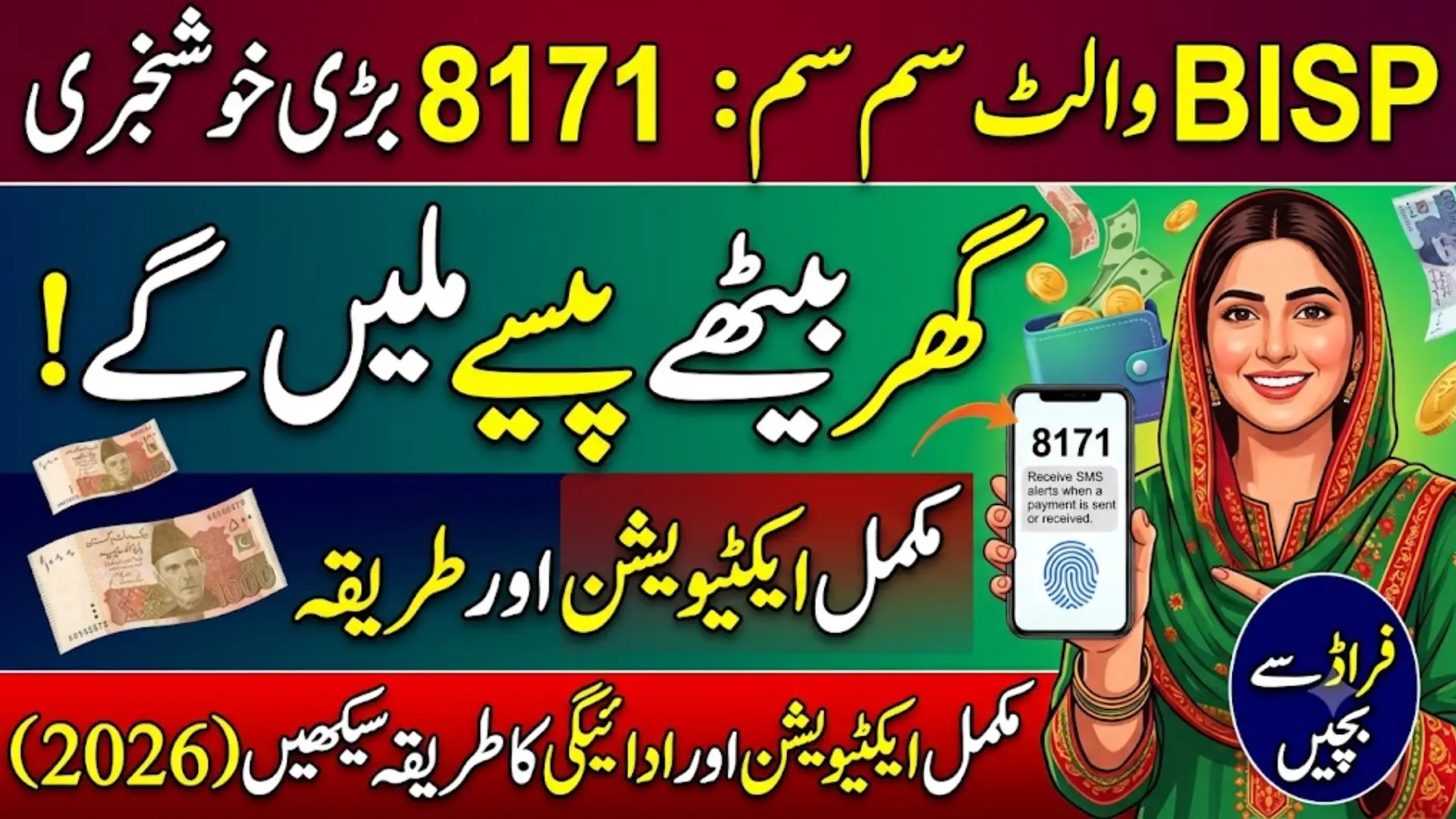
BISP is moving away from long queues at cash payment camps. In their place, the Benazir Income Support Programme is rolling out a digital wallet system that links each beneficiary’s CNIC with her registered mobile SIM. Once this link is active, payment alerts, balance checks, and biometric withdrawals all happen through the phone in her hand no travel, no waiting in line for hours.
This guide walks through what the BISP Wallet SIM 8171 system actually is, who qualifies, how to activate it step by step, and just as important how to avoid the scams that tend to follow any government cash-transfer scheme.
Before you start: Payment amounts, rollout dates, and district-wise timelines for this system have changed more than once during 2026 and vary by source. Always confirm the current figures on the official portal 8171.bisp.gov.pk or by calling the free helpline 0800-26477 before acting on anything below.
What Is the BISP Wallet SIM 8171 System?
The BISP Wallet SIM 8171 is a digital wallet account tied to two things: your CNIC and the mobile SIM registered in your name. Once activated, your quarterly BISP (Kafalat) installment is deposited straight into this wallet instead of being handed out in cash at a payment camp.
You then withdraw the money through:
- A biometric-enabled ATM (HBL or Bank Alfalah), no ATM card needed
- An authorized retail agent (JazzCash, Easypaisa, or a bank franchise), using your thumbprint
- A direct digital transfer, such as paying a utility bill from the wallet itself
The system is built around one simple idea: the money should reach the actual beneficiary, not a middleman, an agent taking an illegal “cut,” or someone using a stolen CNIC.
Also Read: BISP 8171 Phase-2 2026 Rs 13,500 District-Wise Payment Release Now Started
Why SIM Verification Matters
Your SIM isn’t just a phone number in this system — it’s your identity check. Here’s what proper SIM verification does for you:
- Stops fraud. A wallet linked to your own CNIC-registered SIM can’t easily be hijacked by someone else.
- Delivers real-time alerts. You get an SMS the moment a payment is released, so you’re not left guessing.
- Cuts out agent deductions. Digital tracking makes it much harder for anyone to quietly skim money off your installment.
- Keeps you informed. Survey reminders, verification deadlines, and eligibility updates all come through this number.
If your SIM is registered under someone else’s CNIC, or if it’s been inactive for a long stretch, your wallet activation — and your payment — can get delayed. This is the single most common reason beneficiaries report “missing” payments.
Also Read: BISP Payment 2026 District-Wise Disbursement List & CNIC Status Check Now Live
Who Is Eligible?
Broadly, you qualify for wallet activation if you meet these conditions:
- You’re an active BISP/Kafalat beneficiary confirmed through the 8171 system
- You hold a valid, NADRA-verified original CNIC
- You have a mobile SIM registered in your own name (not a family member’s)
- Your household has completed the NSER Dynamic Survey
- You have no pending biometric mismatch with NADRA records
- You’ve received at least one BISP installment in the recent past
If any of these is missing — say, your survey is outdated or your SIM is on someone else’s CNIC — sort that out first, since it’s the usual cause of activation delays.
Step-by-Step: How to Activate Your BISP Wallet SIM
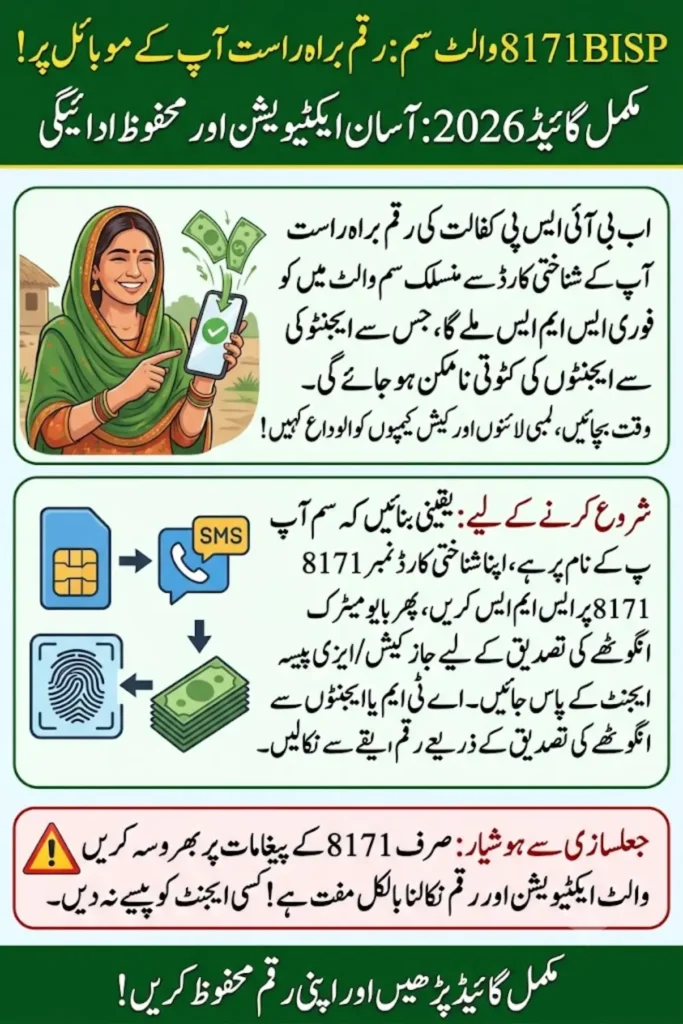
Step 1 — Confirm your SIM is in your own name Check with your mobile network that the SIM you’re using is registered against your own CNIC. If it isn’t, get it re-registered at a franchise before going further.
Step 2 — Send your CNIC to 8171 From that registered SIM, open your messaging app and text your 13-digit CNIC number — no dashes — to 8171. You’ll get a reply telling you one of three things: you’re eligible, you need further verification, or your survey needs updating. Keep that message; you’ll want it for the next step.
Step 3 — Visit an authorized agent Take your original CNIC and your phone to a JazzCash, Easypaisa, HBL, or Bank Alfalah agent point. Tell them you want to activate your BISP digital wallet.
Step 4 — Complete biometric verification The agent will ask you to place your thumb on a verification device. NADRA checks this against your record instantly — there’s no waiting period.
Step 5 — Get your confirmation Once verified, you’ll receive an SMS from 8171 confirming wallet activation. From this point on, payments, balance updates, and transaction alerts all arrive through the same number.
Also Read: BISP 8171 Payment Schedule 2026 HBL & Alfalah Withdrawal Start Date Announced
Checking Your Wallet Balance
Once your wallet is active, you have a few ways to check what’s in it:
- SMS alerts — you’re notified automatically whenever a deposit lands
- Agent visit — ask any authorized JazzCash, Easypaisa, HBL, or Alfalah agent to check it for you
- Mobile wallet app — if you have a smartphone, log in with your CNIC to view balance and history
- USSD code — your specific wallet provider (JazzCash/Easypaisa) can confirm the correct dial code for balance checks in your account
How Withdrawals Work
The wallet doesn’t hand out cash by itself — it tells you where and how to collect it. Once a payment lands, you can withdraw through:
- A biometric ATM at HBL or Bank Alfalah (thumbprint only, no card required)
- An authorized retail agent, again using thumbprint verification
- A digital transfer to pay bills or send money onward
Common Reasons Payments Get Delayed
- SIM registered under a different CNIC than the beneficiary
- SIM inactive for a long period (no calls or recharge)
- Outdated household data in the NSER Dynamic Survey
- Biometric mismatch with NADRA — usually fixed by updating fingerprints at a NADRA center
- Recent change in eligibility status following a fresh Proxy Means Test (PMT) score
If none of these apply and your payment still hasn’t arrived, visit your nearest BISP Tehsil or Union Council office with your original CNIC, or call the helpline.
Staying Safe: BISP Fraud Warnings
BISP-related scams are common enough that they deserve their own section. Keep these rules in mind:
- Only trust messages from 8171. BISP does not send official updates from personal or unknown numbers.
- Activation and withdrawal are completely free. If anyone — including someone claiming to be a bank agent — asks for money to “activate” your wallet or “release” your payment, that is a scam. Report it.
- Never share your PIN, OTP, or biometric details with anyone, including people who claim to represent BISP or a bank.
- There is no online application form for BISP. Registration happens in person during a household survey. Any website offering to “register” you online is not an official channel.
If you suspect fraud, call the free helpline 0800-26477 or report it at your nearest BISP office.
Also Read: BISP Digital Wallet 2026 Receive Payments Securely via Easypaisa & JazzCash Integration
Frequently Asked Questions
1. What is the BISP Wallet SIM use for?
It links your CNIC and SIM so you can receive payment alerts, check your balance, and complete verification without visiting a camp in person.
2. Is biometric verification still require?
Yes. You still need a thumbprint scan at an agent or ATM to withdraw cash, even after your wallet is activate.
3. Which banks are connect to the system?
HBL and Bank Alfalah are the main partner banks, alongside mobile wallet providers like JazzCash and Easypaisa.
4. What if my SIM activation doesn’t go through?
Double-check that the SIM is registere under your own CNIC. If it is and activation still fails, visit your nearest BISP office or call the helpline.
5. Is the Wallet SIM mandatory?
BISP has been gradually shifting all beneficiaries toward the digital wallet system, and cash camps are being phase out, so it’s worth activating even if it isn’t strictly enforce in your area yet.
6. Can an elderly or non-smartphone user manage this easily?
Yes. The core process SMS to 8171 and thumbprint verification works on a basic keypad phone; no smartphone or app is require.
7. Does wallet registration or withdrawal cost anything?
No. Both are free. Anyone asking for a fee is not following official procedure.