Punjab E-Challan Check Online 2026: Payment and Review Guide
Punjab E-Challan Check Online 2026
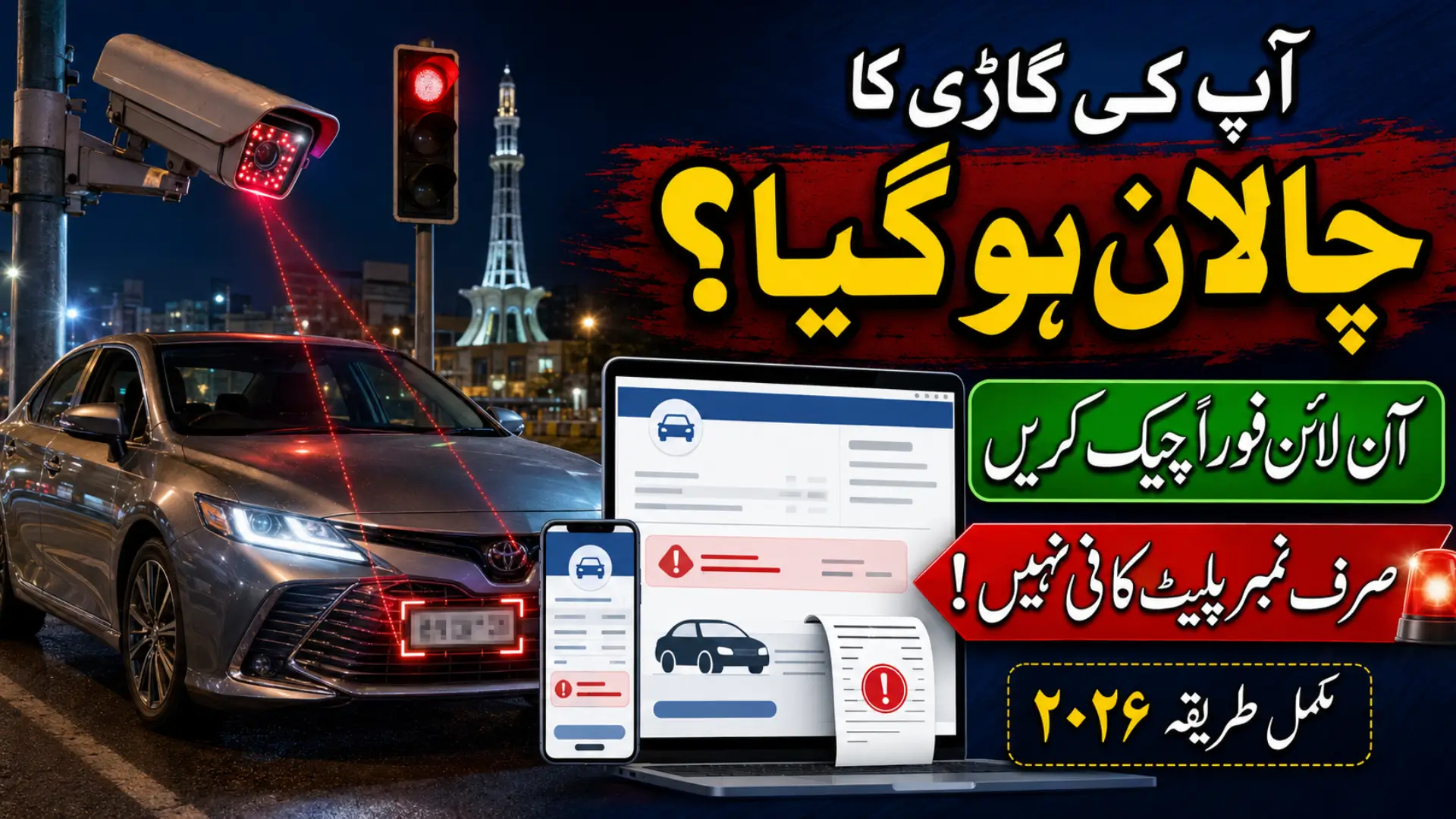
Punjab drivers can check camera-based traffic fines online through the official Punjab Safe Cities Authority E-Challan portal. The service allows a vehicle owner to search for outstanding challans, review violation details and obtain the information needed for payment.
The official website is echallan.psca.gop.pk. Drivers can also manage challans through the PSCA Public Safety mobile application. Both options help people deal with traffic fines without repeatedly visiting a traffic police office.
What Is the Punjab E-Challan Portal?
The Punjab E-Challan Portal is a digital service operated by the Punjab Safe Cities Authority. It connects traffic-violation records with the vehicle registration information available to the authorities.
Safe City cameras and electronic enforcement systems can record violations such as crossing a red signal, ignoring lane markings, exceeding a speed limit or failing to follow other notified traffic rules. The generated challan may include the vehicle number, violation type, date, time, location, fine and available photographic evidence.
The service is operational in areas covered by the relevant PSCA and traffic enforcement systems. Coverage continues to expand, so the portal should not be described as limited permanently to a short list of cities.
| Service | Latest Information |
|---|---|
| Official portal | echallan.psca.gop.pk |
| Search details | Plate number plus CNIC or chassis number |
| Mobile option | PSCA Public Safety app |
| Online correction | Challan review request |
| Main payment reference | PSID shown with the payable challan |
| Payment channels | ePay Punjab and supported banking channels |
| Portal operator | Punjab Safe Cities Authority |
Information Needed to Check an E-Challan
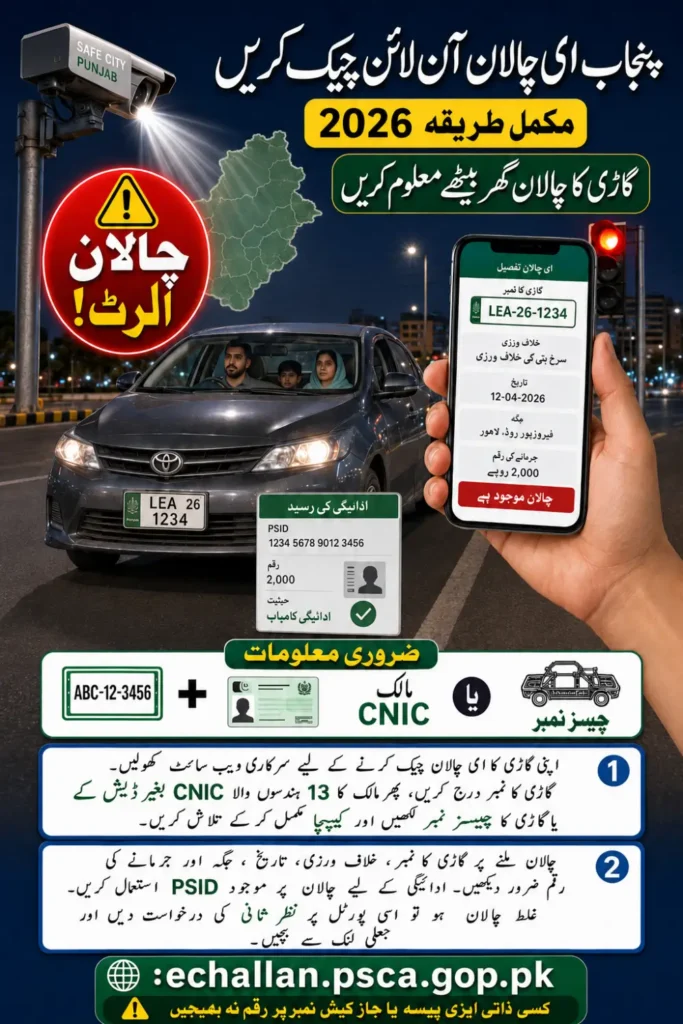
The original article incorrectly suggests that a person can search by entering only a registration number or only a CNIC. The current portal asks for a plate number and one additional identity detail.
Prepare the following information:
- Vehicle registration or plate number
- Vehicle owner’s 13-digit CNIC without dashes, or the vehicle chassis number
- CAPTCHA code displayed on the website
The number plate must be entered in the accepted format. The portal gives examples such as ABC 000, ABC 0000 and ABC-00-0000. If the search returns no result, check the spacing, letters and numbers before trying again. Official PSCA E-Challan portal
How to Check a Punjab E-Challan Online
Open the official portal on a mobile phone or computer. Do not use a website simply because it contains the words “Punjab challan” in its domain name.
Enter the vehicle plate number in the first field. In the second field, add the registered owner’s CNIC or vehicle chassis number. Complete the CAPTCHA and press the search button.
If an e-challan is linked to the provided details, the system may display:
- Challan or reference number
- Type of traffic violation
- Date and time
- Violation location
- Fine amount
- Payment status
- Available camera evidence
Check the vehicle number and violation details carefully. A buyer checking a recently purchased used vehicle should use the correct owner or chassis information because records may still be connected with the previous registration details.
Check Challans Through the Public Safety App
PSCA also offers its official Public Safety app. According to the updated app listing, users can check, download and manage their e-challans from a smartphone.
The app includes other public-safety services as well, such as Emergency 15 access and complaint management. Users should install it only from the official Google Play or Apple App Store listing and confirm that the developer is Punjab Safe Cities Authority. PSCA Public Safety app
If the app’s OTP or login system is temporarily unavailable, use the official web portal instead. Never give an OTP to someone claiming that they can remove or reduce a challan.
How to Download or Print a Challan
After finding the correct record, open its details. If a download or print option is shown, save the challan on your device or print a copy for your records.
A saved challan is useful because it contains the payment reference and violation information. Take a screenshot or download the receipt after payment as well. Do not rely only on a confirmation message, particularly when paying close to a deadline.
Also Read: CM Punjab E-Bike Scheme 2026 Online Apply, Balloting Schedule & Student Delivery Timeline
How to Pay a Punjab E-Challan
A payable challan normally contains a Payment Slip ID, commonly called a PSID. This number identifies the payment in the government system.
Traffic challans supported through ePay Punjab can be paid using internet banking, mobile banking, ATMs, supported over-the-counter banking channels and other available digital services. Punjab traffic police information also lists Easypaisa, JazzCash and 1Link banking among supported options. Punjab traffic challan payment information
The exact menu name can differ between banks and mobile wallets. Usually, the user must open government payments, ePay Punjab or bill payments, enter the PSID, verify the amount and confirm the transaction.
Before paying, make sure that:
- The displayed vehicle number is correct.
- The payment amount matches the challan.
- The receiver is an official government payment service.
- The app does not ask you to send money to a personal mobile-wallet account.
- You save the digital receipt.
PITB confirms that supported traffic challans can be paid through internet banking, ATMs, bank counters and other digital channels. ePay Punjab payment guidance
Also Read: Punjab Women E-Bike Scheme 2026 Get an E-Bike for Just Rs. 2,100 Per Month
How to Challenge an Incorrect E-Challan
PSCA introduced an online review facility for people who believe a challan was issued incorrectly. This is more useful than visiting different offices or sending repeated emails.
Search for the challan on the official portal and select the Review option beside the relevant record. Choose a reason, enter the requested CNIC and mobile information, and explain why the challan should be reconsidered.
Applicants may upload supporting evidence, such as:
- Front and rear photographs of the vehicle
- Registration document
- Police report
- Proof that the vehicle was sold before the violation
- Other relevant evidence
PSCA reviews the submitted information and may cancel the challan if a genuine mistake is confirmed. False information should not be submitted. Online e-challan review update
Common Reasons for a Wrong Record
An incorrect or dispute challan can occur when a number plate is unclear, a vehicle has been sold but not transfer, a clone or fake plate is being use, or the registered owner’s details are outdate.
If you have sold a vehicle, complete the official ownership transfer instead of relying on a handwritten sale receipt. Continuing registration in your name can create problems when future fines or legal notices are issue.
Avoid Fake E-Challan Messages
Scammers may send SMS or WhatsApp messages containing fake payment links. A message can use official-looking colours, urgent language or a warning that your vehicle will be seiz immediately.
Do not enter your CNIC, card details, banking password or OTP through an unknown link. Open echallan.psca.gop.pk yourself and search for the record. Government fines should never be paid to an individual’s bank account, Easypaisa number or JazzCash wallet.
Frequently Asked Questions
What is the official Punjab E-Challan website?
The official website is echallan.psca.gop.pk.
Can I search with only my vehicle number?
No. The portal asks for the plate number plus the owner’s CNIC or vehicle chassis number.
Can I check an e-challan through a mobile app?
Yes. The official PSCA Public Safety app includes challan checking, downloading and management features.
Can I challenge a wrong e-challan online?
Yes. Open the relevant record and use the review option to submit an explanation and supporting evidence.
How can I pay the fine?
Use the PSID through ePay Punjab, supported banking applications, ATMs, mobile wallets or available bank-counter channels.
How soon should a challan be paid?
Punjab Traffic Police guidance says a traffic violation fine should be deposite within 10 days. Check the deadline printed on your specific challan. Punjab Traffic Police
Does the portal show paid challans?
Payment status may take time to update. Keep your receipt and check again after the transaction is process.
Also Read: CM Punjab E-Bike Scheme 2026: 100,000 Bikes for Students
Conclusion
The Punjab E-Challan portal provides one official place to search traffic fines, review evidence, submit correction requests and obtain payment details. Always use the PSCA website, verify the vehicle record before paying and keep the receipt for future reference.
Also Read: Punjab E-Bike Scheme 2026: Free & Interest-Free Electric Bikes for Students